CloudAEye +Claude Code

Code review and governance for Claude Code.

Understand the task. Improve the change.
Decide what ships, all inside Claude Code.

50 free reviews per month for individual developers. Read the official Claude Code plugin setup guide.

Claude Code

Issue context and follow-up, across your stack.

JiraGitHubGitLab

More than a review.
A complete pull-request workflow.

Understand what needs to change, improve the implementation,
and bring engineering context to every review decision.

Understand the work

Explain issues, check requirements, and inspect the structure and quality of a change.

Explore the commands

Improve the change

Generate unit tests and documentation, automate tests, and turn feedback into tracking issues.

Explore the commands

Decide what ships

Understand risk, prioritize the PR queue, involve the right reviewer, and learn from incidents.

Explore the commands

Code Security

Bring OWASP Top 10 checks, dependency risks, and exposed secrets into the same code review.

Security coverage
  • OWASP Top 10 and ASI context for AI-agent reviews
  • SAST for injection and unsafe code paths
  • SCA for CVEs, licensing, and risky packages
  • Secret scanning for credentials and tokens

Fundamental Code Hygiene

Catch duplicate logic, unsafe inputs, and missing coverage. Keep every pull request aligned with engineering fundamentals.

7 engineering checks
  • No secrets in code
  • No semantic or syntactic duplication
  • Unit test coverage: configurable, 80% by default
  • Input validation
  • Predictable error handling
  • SQL, NoSQL, and command injection protection
  • Docstring coverage: configurable, 80% by default

Modern Stack

Review AI agents, LLM prompts, and MCP tools for unsafe actions, untrusted instructions, and broken data boundaries.

Agent, LLM & MCP checks
  • Agent orchestration, permissions, and approval paths
  • Prompt issues and unsafe model outputs
  • MCP tool correctness, integrations, and tenant isolation

One command away.

The CloudAEye capabilities available inside Claude Code.

Start with
the whole picture.

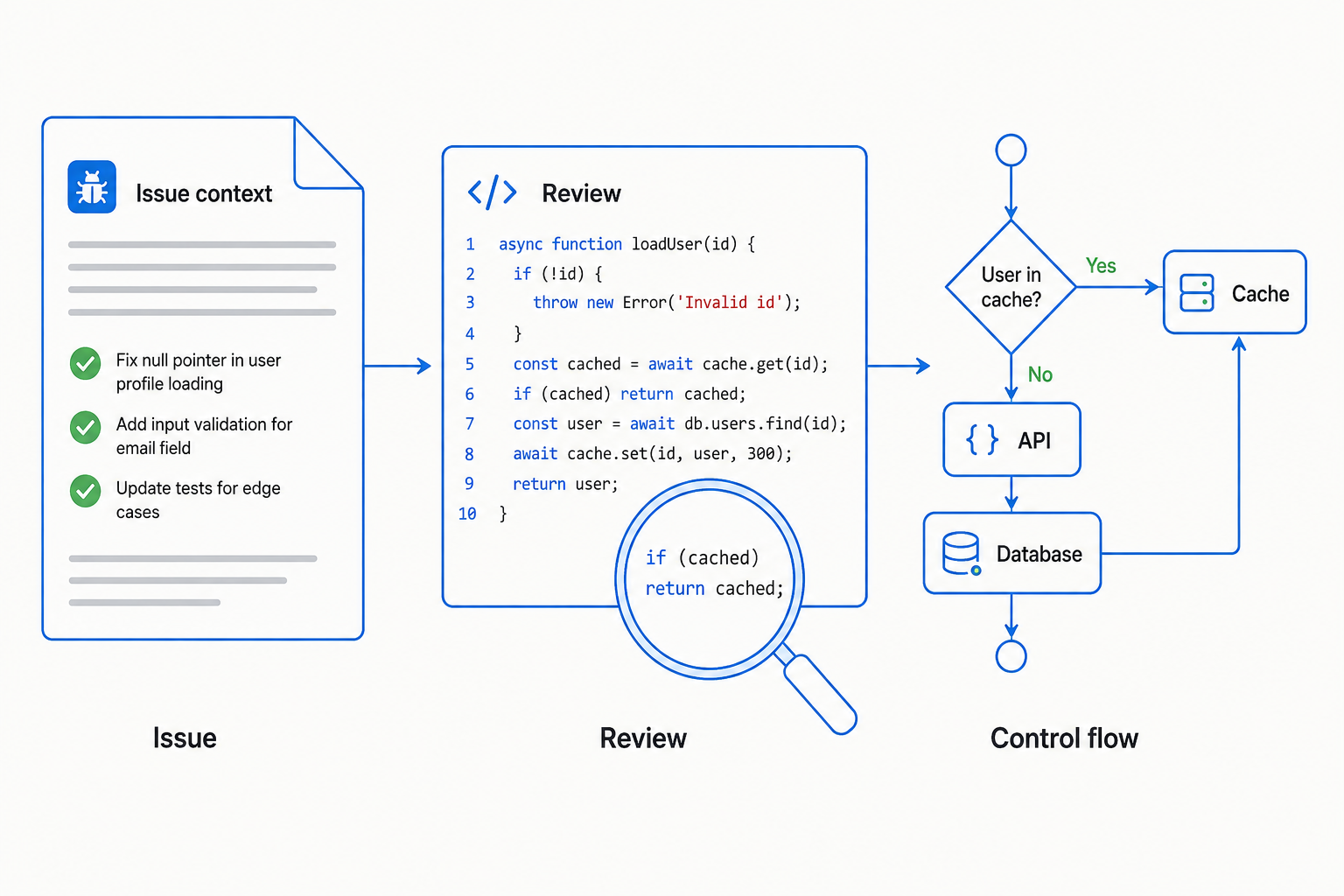
Bring issue intent, code quality, and system design into the same review.

Concept illustration connecting an issue and code review to API, cache, and database control flow.

Review for a clear merge decision

Run a comprehensive code and security review. Align the PR with its Jira or GitHub issues to check whether the requested work is complete.

Findings are ranked from Critical to Important to lower-priority improvements, so suggestions do not all become blockers.

cloudaeye:review

A passing PR review can issue an actual GitHub approval. Any Critical finding prevents approval.

Explain an issue

Get context for work tracked in Jira, GitHub, or GitLab, using an issue identifier or a URL.

Jira setup opens automatically when it has not been configured.

cloudaeye:explain jira <issue#>
cloudaeye:explain github <issue#>
cloudaeye:explain gitlab <issue#>

Ask about the code

Get answers about the change so you can clarify behavior and resolve questions before moving forward.

cloudaeye:ask

Inspect the essentials

Catch logic errors, edge cases, and foundational security issues early. A focused pass before the deeper review.

cloudaeye:inspect

Describe the change

Turn the diff into a clear summary of what changed and the important implementation details, ready for a review handoff.

cloudaeye:describe

PR checklist

Evaluate a pull request against the repository's selected checklist items.

If the checklist is not enabled, the command opens the checklist-selection UI.

cloudaeye:check <pr#>

AI slop score

Score low-value AI-generated code patterns and make code-quality signals part of the review.

cloudaeye:slop-score <pr#>

Control-flow analysis

See how a pull request changes control flow, represented as a sequence diagram.

cloudaeye:control-flow <pr#>

Architecture review

Review the system-design implications of a pull request, beyond individual lines of code.

cloudaeye:review-arch <pr#>

Turn findings
into better code.

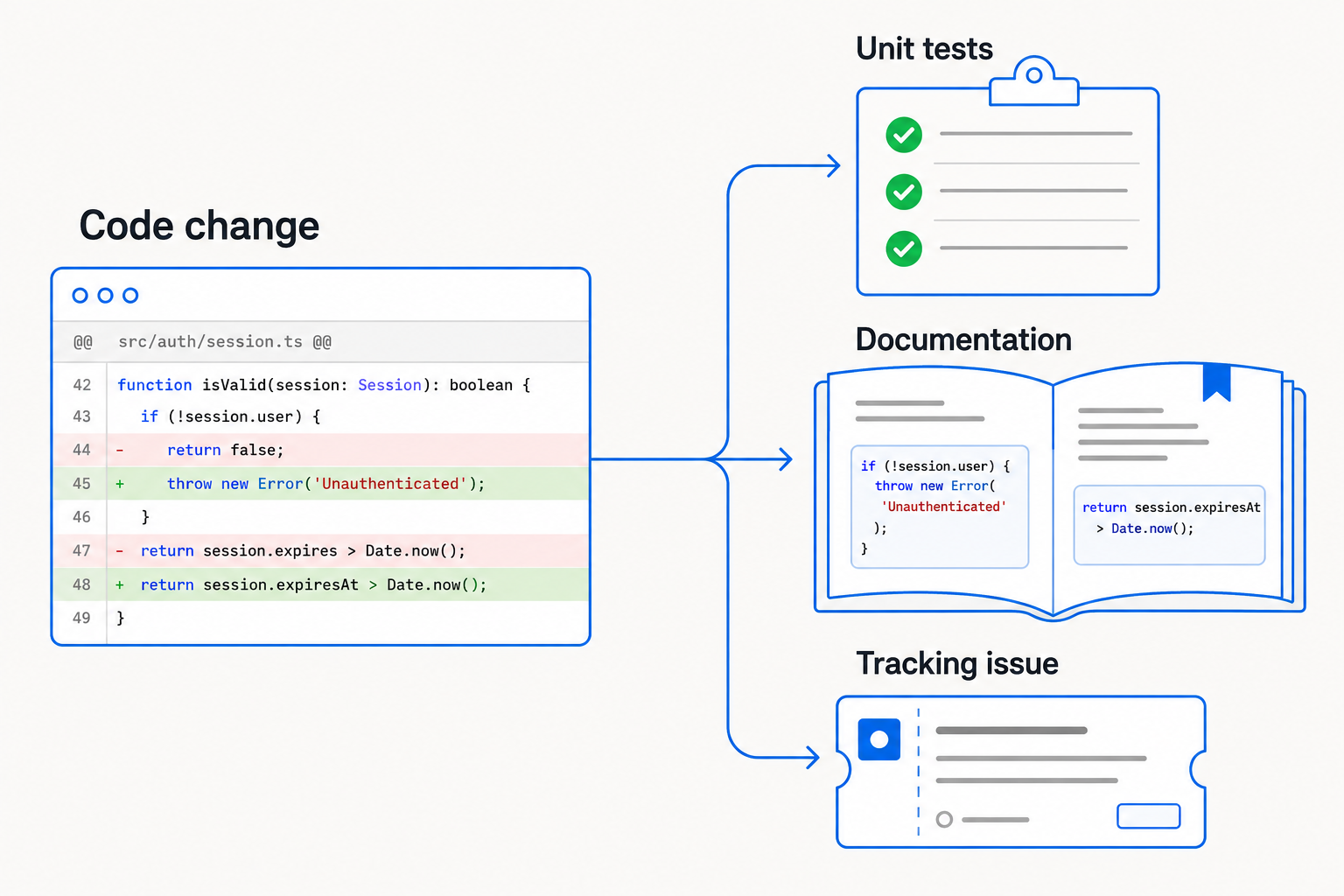
Keep tests, documentation, and follow-up work close to the change.

Concept illustration of a code change producing unit tests, documentation, and a tracking issue.

Unit tests

Generate unit tests for a pull request without leaving your Claude Code workflow.

cloudaeye:test <pr#>

Code documentation

Add code documentation for the changes in a pull request.

cloudaeye:add-docs <pr#>

Create tracking issues

Turn a review comment into an assigned follow-up issue in the system your team uses.

cloudaeye:create-issue <comment#> jira <assignee display name>
cloudaeye:create-issue <comment#> github <github username>
cloudaeye:create-issue <comment#> gitlab <gitlab username>

Put review attention
where it belongs.

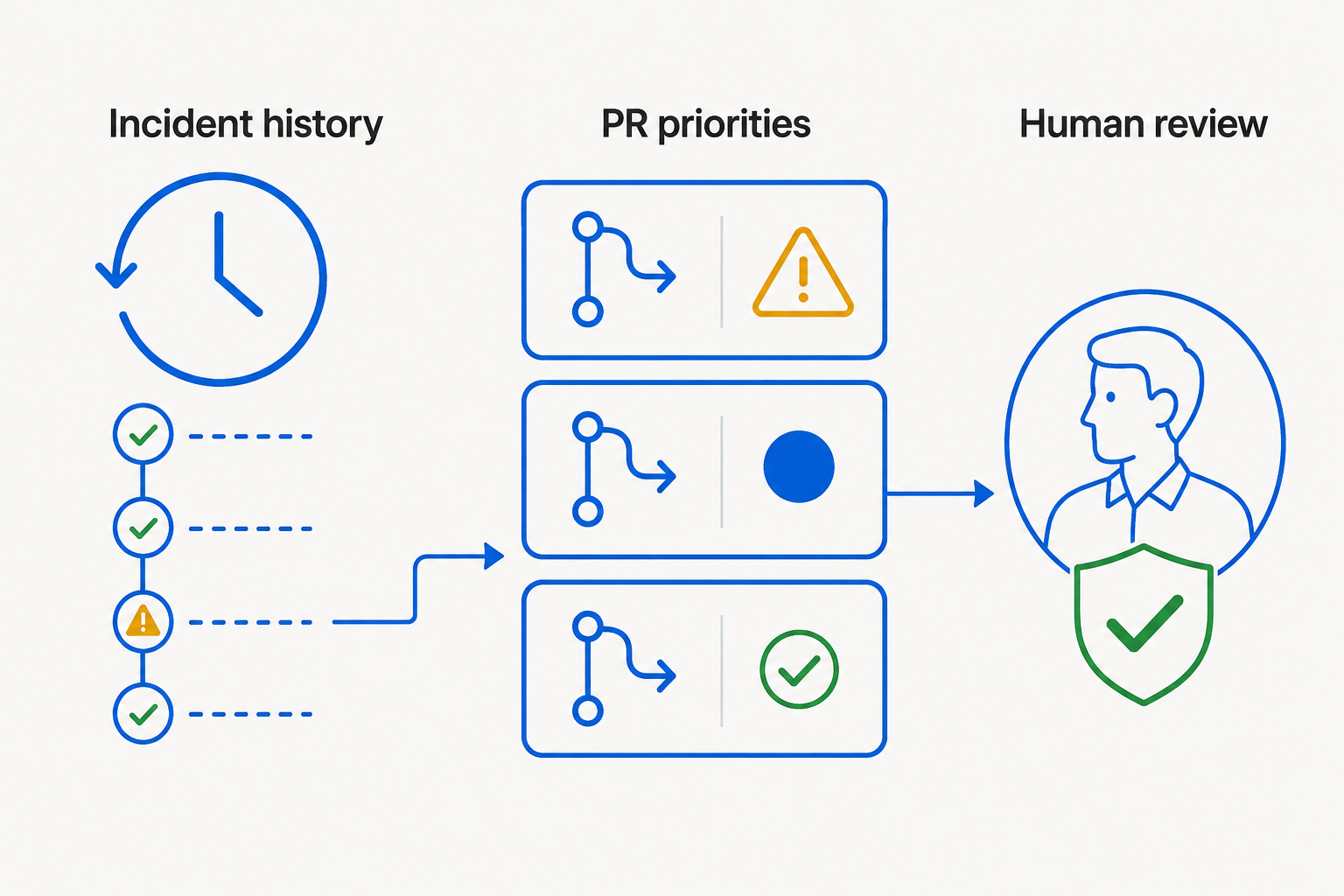
Connect today's pull requests with engineering history and production impact.

Concept illustration linking incident history, prioritized pull requests, and a human reviewer.

Prioritized PR dashboard

Order the queue by priority score, with risk, complexity, business impact, and a reason for each ranking.

cloudaeye:prioritize-prs

Assign human reviewers

Recommend a reviewer with relevant ownership, review history, and incident experience, along with a suggested review focus.

cloudaeye:assign-reviewer <pr#>

Prevent recurring production incidents

Bring lessons from previous production incidents into the review of new changes.

Help, right in your terminal.

List all supported commands or get detailed usage and options for a specific command.

cloudaeye:help
cloudaeye:help <command>

A merge decision.
Not an endless to-do list.

Does the PR deliver the requested work? Is there a meaningful issue that should stop it from shipping? CloudAEye connects issue intent with severity-ranked findings to answer both.

Critical findings block approval. A clean PR can receive an actual GitHub approval automatically. The goal is a clear outcome, not another round of subjective changes.

Explore the review process
cloudaeye-botReview of feature/auth-rate-limit

GitHub review

Important findings

Retry behavior now matches the linked issue

Resolved

Low findings

Test name could describe the boundary case more precisely

Non-blocking improvement
APPROVAL ISSUEDAll required checks passed. Ready to merge.

A few things
worth knowing.

Which issue trackers can I use?

Use Jira, GitHub, or GitLab with cloudaeye:explain and cloudaeye:create-issue. Explain also accepts an issue URL. Tracking issues can be assigned to the person named in the command.

What happens if Jira or the checklist is not configured?

The explain command detects missing Jira configuration and opens its setup UI. The check command detects when a repository checklist is not enabled and opens the UI to select checklist items.

Can I turn review comments into follow-up work?

Yes. Use cloudaeye:create-issue with the comment number, your issue tracker, and an assignee to create a tracking issue in Jira, GitHub, or GitLab.

What does trend analysis include?

Author and team AI slop scores, recent bugs and incidents, product-area stability, and related production incidents. Add --verbose for a detailed breakdown, including risk signals and a recommended human reviewer.

Where can I find all command options?

Run cloudaeye:help for the command list, or cloudaeye:help <command> for detailed usage and options. See the official setup guide and CloudAEye plugin user guide.

What is included for individual developers?

The free tier includes 50 free reviews per month for individual developers. View pricing for plan details.

Build with Claude.
Ship with confidence.

From issue context to tests, documentation, and review decisions: bring the complete PR workflow into Claude Code.

50 free reviews per month for individual developers.